
For local service providers, a robust online presence is not just important; it’s a game-changer. One of the most powerful tools in this game is Google My Business (GMB). This free platform is a goldmine, allowing businesses to manage their online presence across Google Search and Google Maps. It’s your ticket to reaching nearby customers who are actively seeking services like yours. In this post, we’ll guide you through optimizing your Google My Business profile, unlocking its full potential for your business.
Why Google My Business Matters for Local Service Providers
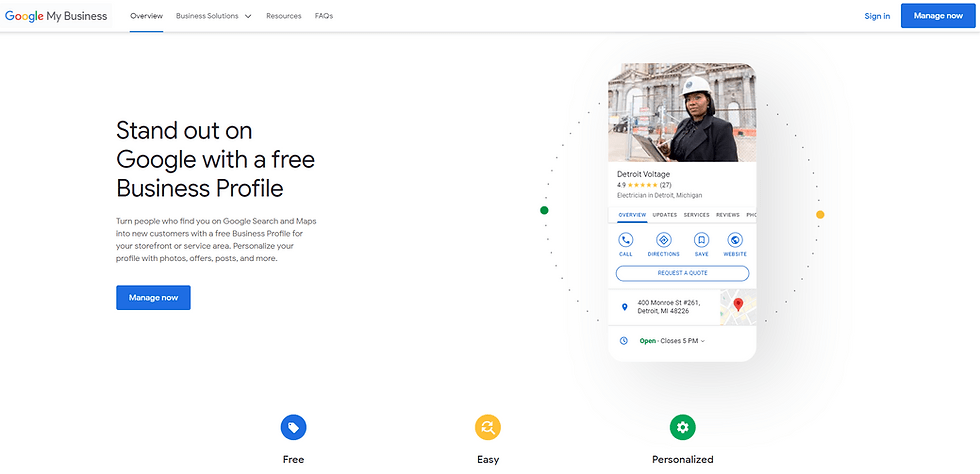
Google My Business is a critical local search engine optimization (SEO) tool. It can give your business a competitive edge. It enables you to appear in “near me” searches, Local results, and Google Maps. This makes it easier for potential customers to find and choose your services. By optimizing your profile, you can significantly improve your visibility. You can drive more traffic to your site. You can ultimately increase leads and conversions. This makes you a savvy player in the online market.
Claim and Verify Your Business Listing
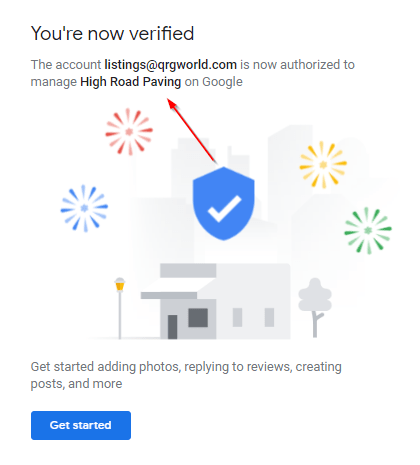
Before optimizing your profile, you must claim and verify your Google My Business (GMB) listing. This process shows Google that your business is legitimate and allows you to manage your business information on Google. Here’s what you need to do:
- Claim your business: If your business isn’t listed, create a new profile using Google My Business. Go to the Google My Business website. Sign in with your Google account. Follow the prompts to add your business. If your business is already listed, you’ll need to claim ownership by going through a verification process.
- Verify your listing: After claiming your business, Google will send a postcard to the address you provided. The postcard will contain a verification code to enter into your Google My Business account to verify your listing. It typically takes around 14 days for the postcard to arrive. Once verified, you’ll fully control your Google My Business profile and can start managing your business information. From claiming to verification, the entire process usually takes about a month.
Complete Your Business Information
The more complete your Google My Business (GMB) profile, the better your chances of appearing in relevant searches. Be sure to:
- Provide accurate contact info: By ensuring your business name, phone number, address, and website are correct, you enhance customer convenience. You also significantly boost your SEO. This is a small effort with a significant impact. Consistency in your contact information across the web is crucial for local SEO. Search engines rely on this information to provide accurate results to users.
- Choosing the right category is more than just a label. It’s a strategic move to represent best your services (e.g., “plumber,” “electrician,” or “cleaning service”). Google uses these categories to match you with the right audience precisely. Selecting the most specific category is crucial. It accurately describes your business. This is essential for ensuring that you in relevant search results.
- List your services: Under the “Services” section, list all your business’s services with short, compelling descriptions. This is a formality. It is also a powerful way to help customers understand exactly what you offer. It can boost your visibility in relevant searches. Detailed information about your services can also attract potential customers searching for specific offerings, increasing your conversion chances.
Add High-Quality Photos

Photos can significantly influence potential customers’ decisions. According to Google, businesses with photos receive 42% more requests for directions and 35% more website click-throughs. For instance, a local bakery saw a 50% increase in online orders. This happened after uploading professional photos of their delicious pastries and cozy interiors.
- When you upload professional photos, you’re not just showcasing your work, team, and premises. You’re also creating an excellent first impression that can significantly enhance your business’s reputation. Using high-quality images is crucial in making a lasting impact on potential customers.
- By including your logo and a cover photo, you are making a meaningful contribution to your GMB profile. This represents your brand. You are creating a strong visual identity for your business. These additions help make your brand stand out.
- Regularly updating photos on your website and social media platforms keeps your online presence fresh and engaging. It also demonstrates to your audience that your business is actively involved and connected with its customers. This can help build trust and rapport with your audience. It shows that you are committed to providing them with current and relevant information.
Use Posts to Share Updates
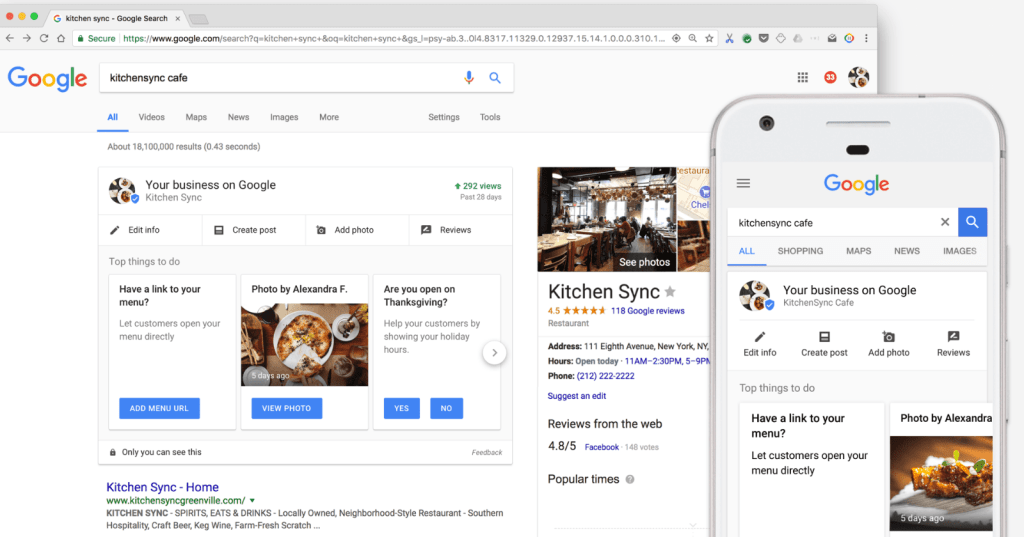
Google My Business Posts allow you to share timely and relevant updates about your business. Examples include special promotions, new services, or upcoming events. This feature gives you complete control over how you communicate with your audience.
- Excite your audience: Use posts to showcase seasonal discounts or exclusive limited-time offers. This will create a sense of urgency and build anticipation among your customers, making them eagerly await your next update.
- Share news and announcements: Google My Business Posts are your go-to tool for informing your customers. Use them to announce news and updates about new services, business-hour changes, or significant company milestones. This ensures your audience is always well-informed. It keeps them connected to your business. This makes it a vital part of your communication strategy.
- Engage with customers: Google My Business Posts are more than updates-they’re a way to engage with your customers. Use them to prompt customers to book an appointment or to visit your website for more information. It’s an effective tool for fostering interaction and connecting your customers to your business.
Encourage and Manage Customer Reviews
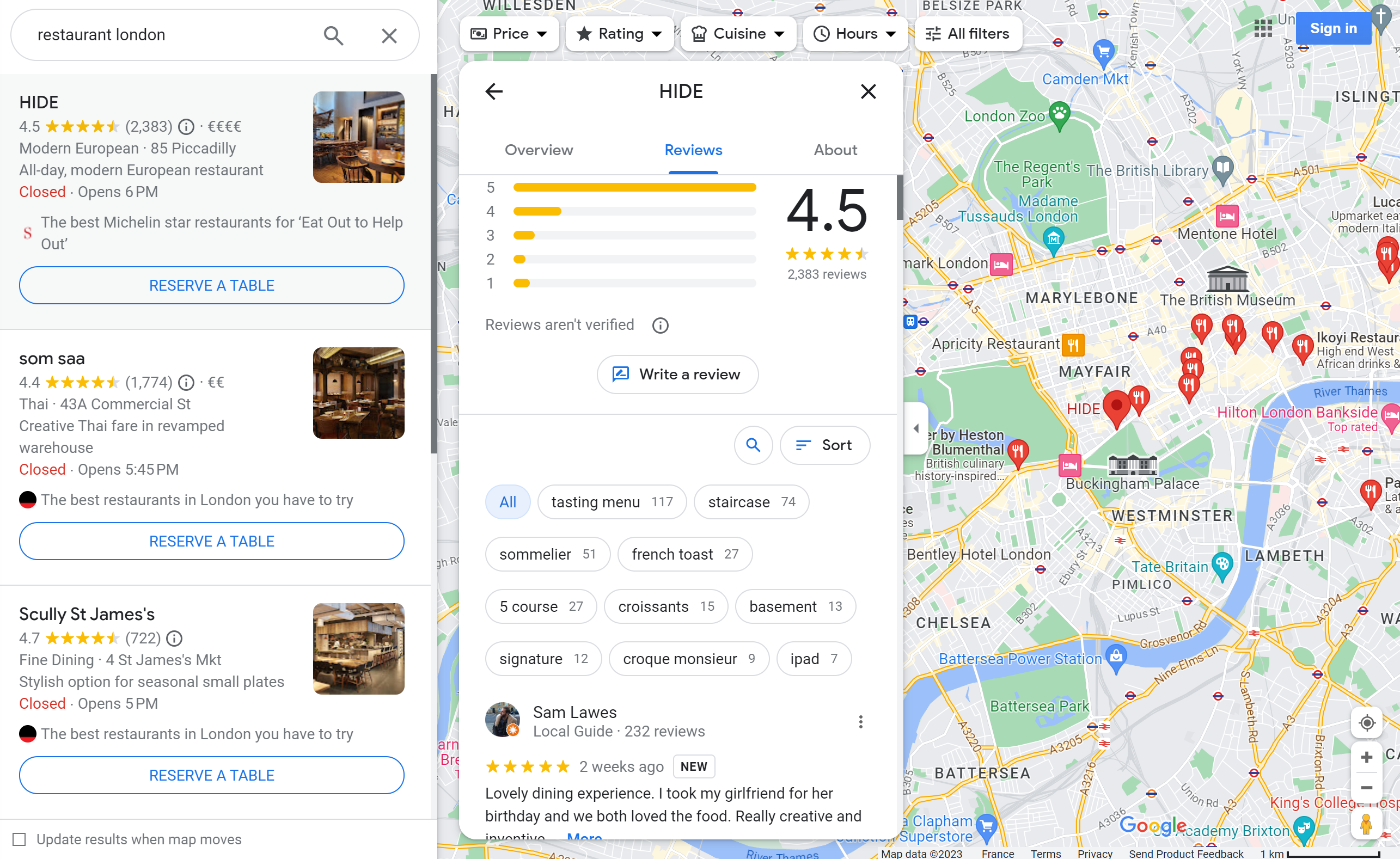
Positive reviews can significantly boost your business’s credibility and visibility in search results.
- Encourage happy customers. Their satisfaction is the key to your success. Politely ask them to leave a review on your Google My Business profile. Make it easier for customers to share their experiences. You can include a direct review link in your communication channels. These include emails, invoices, or post-service follow-ups.
- Responding to reviews, whether positive or negative, it’s essential to address both positive and negative feedback. By doing so, you can effectively build trust and showcase your dedication to providing exceptional customer service. This practice can leave a lasting impression on potential customers and foster a positive perception of your business.
- Use reviews for SEO: Leveraging reviews for search engine optimization (SEO) is essential. Reviews are not just testimonials but also powerful tools that can impact your business’s local search rankings. The accumulation of positive reviews can signal to search engines like Google that your business is reputable. This can potentially lead to improved local search rankings.
Keep Your Business Information Updated
Update your GMB profile regularly. Show any changes in your business, like new hours, services, or contact information. Customers who come across incorrect or outdated information might get frustrated and seek alternatives. Keeping everything current helps prevent confusion and encourages customers to return. Regularly updating your Google My Business (GMB) profile is crucial. It ensures your customers have accurate and up-to-date information about your business. This includes updating any changes in your operating hours. Please update new services or products you offer. Also, include any updates to your contact information, such as phone numbers and email addresses. Please take a few minutes now to update your GMB profile. Doing so can avoid potential frustration for your customers, who may otherwise encounter outdated or inaccurate information. Keeping your GMB profile current and informative also helps to build trust with your customers and encourages repeat business.
Leverage Insights to Improve Performance
Google My Business (GMB) is a powerful tool. It provides valuable insights to help you understand how customers find and interact with your business profile. Here are some detailed ways in which GMB can benefit your business:

- Monitor search queries: GMB lets you see the keywords and search terms customers use to find your business. This data can be invaluable for refining your search engine optimization (SEO) strategy. It ensures your business effectively reaches its target audience.
- Track engagement: With GMB, you can analyze how many customers clicked on your website. You can also see how many requested directions. Additionally, you can track how many called you directly from your business profile. This level of engagement tracking can provide a clear picture of what aspects of your profile are working well. It can also show where improvements may be needed.
- View customer demographics: GMB provides insights into your customer base’s demographics. This includes where your customers are coming from. It also shows what devices they’re using to search for your services. This information can help you tailor your marketing and outreach efforts to better resonate with your target audience.
Common Mistakes to Avoid When Using Google My Business
One common mistake businesses make with Google My Business (GMB) is failing to keep their profile information up-to-date. Inaccurate business hours, outdated addresses, or wrong contact details can confuse potential customers and hurt your credibility. To avoid this, regularly review and update your GMB profile, especially after any changes to your operations. Another misstep is neglecting to engage with customer reviews. It’s not just about responding to positive and negative feedback; it’s about shaping your business’s reputation. This shows that you value customer input and are committed to providing excellent service. Finally, many businesses overlook posting regular updates, offers, or events. Keeping your GMB page active with fresh content can boost engagement. It can help your profile rank higher in local search results.
Often asked questions about Google My Business (GMB)
Often revolve around its core functionalities and benefits. Many people ask,
- “How do I claim my business on Google?”
- The process is straightforward. You can claim or create a listing by searching for your business on Google Maps. Alternatively, you can sign up on the GMB website. Another common question is,
- “Why isn’t my business appearing in local search results?”
- This usually happens due to incomplete profiles, lack of reviews, or low engagement. Optimizing your profile and staying active can improve visibility. Others wonder,
- “How do I respond to customer reviews?”
- Responding to reviews directly from your GMB dashboard is not just a feature. It’s a crucial step in building trust with your customers.
- Lastly, many businesses ask, “Is GMB free?”
- Yes, Google My Business is a powerful tool that is entirely free. It’s designed to help local businesses increase their Google Search and Maps visibility.
Overall, Google My Business offers detailed and specific data. This helps you make informed decisions about improving your online presence. It also enables you to better serve your customers.
Optimizing your Google My Business (GMB) profile is a crucial strategy for local service providers. They aim to enhance online visibility. They want to attract nearby customers. They seek to expand their business reach. The user-friendly interface of GMB simplifies the process. It makes it easy for you to increase customer engagement. It helps you attract potential clients.
Your customers are at the heart of your business. By consistently updating your profile, you can make them feel valued. Include precise business hours, contact details, and services offered. Sharing engaging content like posts, photos, and offers makes them feel integral to your business.
Encouraging satisfied customers to leave positive reviews on your GMB profile can boost your credibility and attract new business.
Additionally, leveraging insights from GMB can help you understand customer behavior. These include how they find your business and their actions. This lets you make informed decisions to enhance your online presence further. Don’t underestimate the power of GMB. It’s an accessible and impactful tool for connecting with your local community. It lays the foundation for long-term business growth.
 Remote Digital Marketing Pro